Active Linework
FieldGenius has Code-Free linework control in the field to eliminate the need to remember line codes. To activate linework on the fly while surveying, you simply choose the description you want and start taking shots! For MicroSurvey CAD or inCAD desktop users, line connectivity codes setup in the desktop AutoMap library will be used by FieldGenius. For more information see the Draw Option Defaults section.
FieldGenius uses the concept of Figures for handling of linework. Some software packages refer to these as "Chains".
At the bottom of the FieldGenius interface, you will see the Active Lines List button on the second row. When a new Project is started, it will display [ -No Line- ] as the current, active line.
When a new line figure is about to be started, [ -Start line- ] will be displayed on the button. After the first point for a new line has been measured, the active line will be created, made current and displayed.
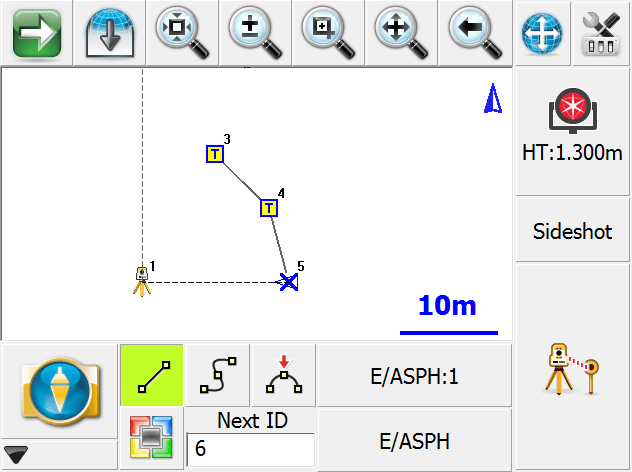
In the example shown, notice E/ASPH:1 on the button. This is the current Active Line. E/ASPH is the point description and 1 is the group number (added automatically). Since this is the first figure in the map, it is assigned group 1.
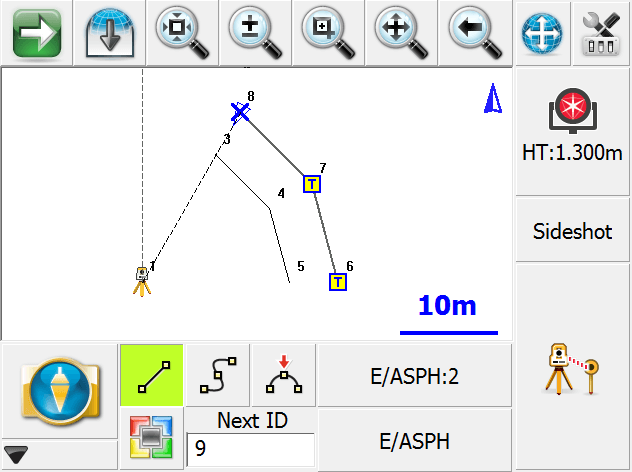
A Figure is a continuous series of Line, Curve and/or Arc segments. The Figure is identified by Point Description and a group number. Whenever a new line is started, a new Figure is created and added to the Active Lines list with an automatically assigned group number. The group number will increment by one when a previously used point description is used for a subsequent line. (Notice there are two E/ASPH lines in the example)
Furthermore, all linework in FieldGenius is handled in 3D.
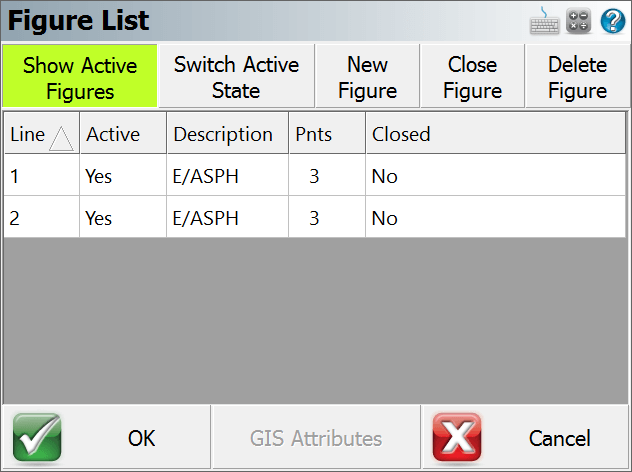
When you press the E/ASPH:2 Active Line button you will see a list of the figures in your Project.